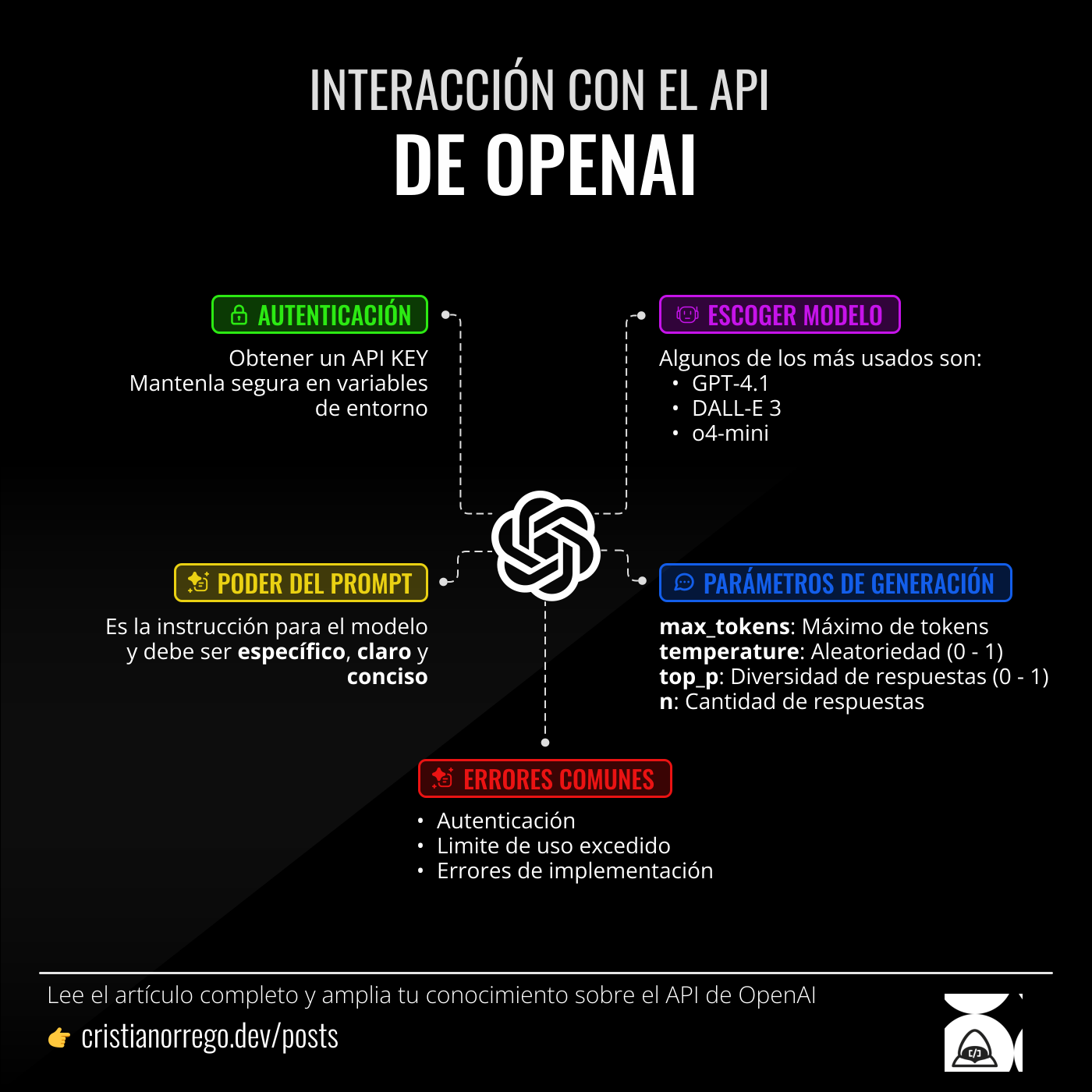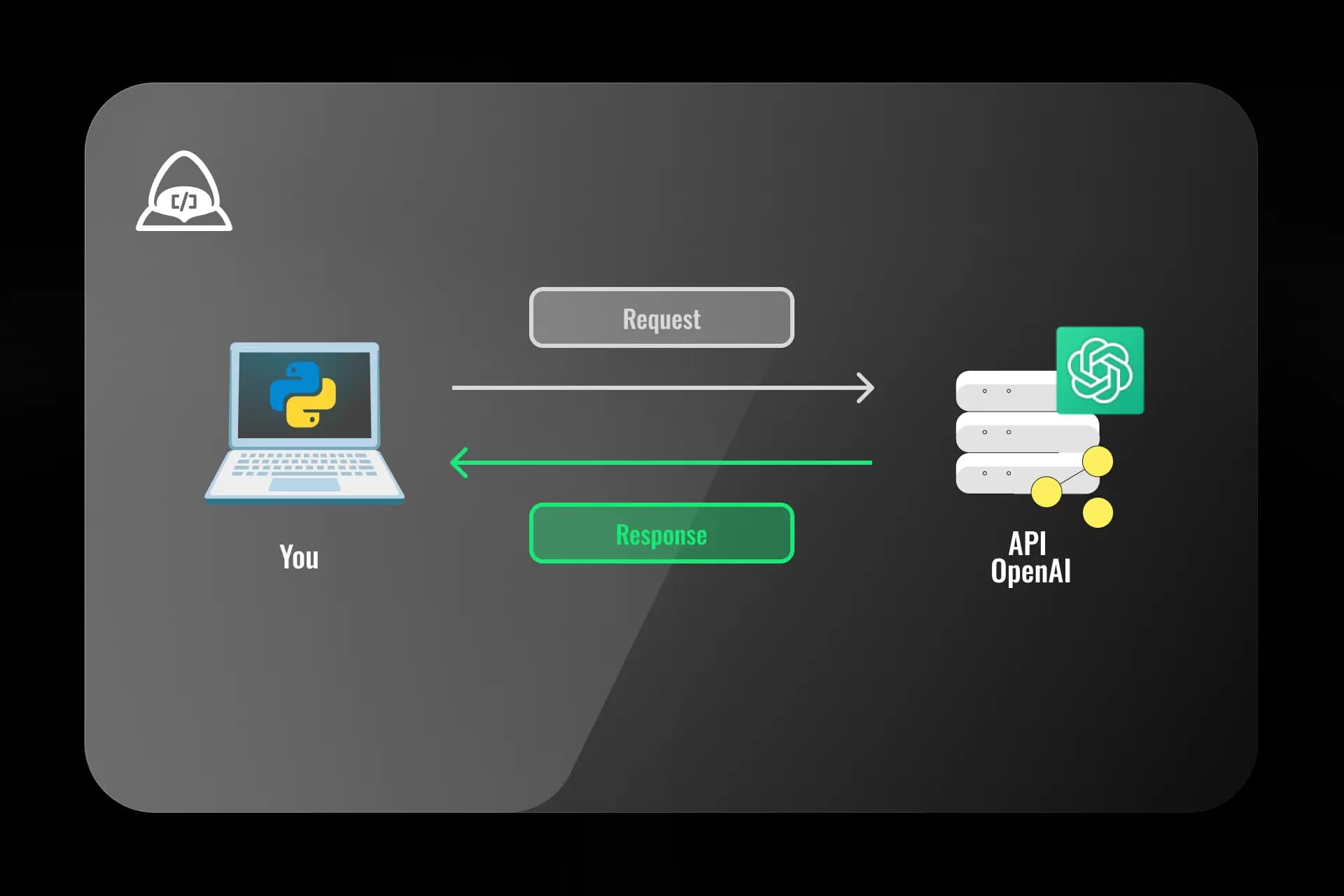
This article explores the OpenAI API, a powerful tool that allows developers to integrate cutting-edge artificial intelligence models into applications. Five fundamental keys are broken down to get the most out of this API, from authentication to request optimization, including Python code examples to illustrate practical use. The goal is to unlock the potential of AI in real projects.
1. Authentication: The essential first step
Before interacting with the OpenAI API, authentication is required. This is done with an API key obtained when creating an account on the OpenAI platform. This key works like a "password" to access OpenAI services, so it should be stored securely.
Example:
from openai import OpenAI // Import OpenAI library
open_ai_api_key = os.getenv("OPENAI_API_KEY") // Environment variable
client = OpenAI(api_key=open_ai_api_key) // Create the client
Important! Never share the API key publicly, for example, in source code uploaded to GitHub. Consider using environment variables to store it securely.
2. Choosing the right model
OpenAI offers a variety of models, each with its own strengths and weaknesses. Some models are better for text generation, others for translation, and others for code completion. Choosing the right model for the task is crucial to getting the best results.
Popular models include:
- text-davinci-003: A powerful model for a wide range of text generation tasks.
- code-davinci-002: Optimized for code generation and completion.
- gpt-4.1: A newer and more efficient model, ideal for conversations and general tasks.
Example:
from openai import OpenAI
client = OpenAI()

response = client.chat.completions.create(
    model="gpt-4.1",
    messages=[{"role": "user", "content": "Write a spring poem."}],
    temperature=0.7,
    max_tokens=100
)
content = response.choices[0].message.content
print(content)
3. The power of the prompt
The "prompt" is the instruction given to the model. It is the key to getting the desired response. A well-defined prompt is specific, clear, and concise. The clearer the prompt, the better the model response.
Example:
from openai import OpenAI
client = OpenAI()

response = client.responses.create(
  model="gpt-4o",
  input=[
    {
      "role": "system",
      "content": [
        {
          "type": "input_text",
          "text": "You will be given statements and your task is to convert them\n           to standard English." <-- Clear, specific, concise instruction
        }
      ]
    },
    {
      "role": "user",
      "content": [
        {
          "type": "input_text",
          "text": "She no went to the market." <-- Provided statement
        }
      ]
    }
  ],
  temperature=1,
  max_output_tokens=256
)
content = response.choices[0].message.content
print(content) // She did not go to the market. <-- OpenAI response
4. Controlling generation: Parameters
The OpenAI API offers several parameters that allow control over text generation. Some of the most important parameters are: max_tokens: The maximum number of tokens (words or word parts) that the model can generate. temperature: Controls randomness in generation. A lower value (for example, 0.2) produces more predictable results, while a higher value (for example, 0.8) produces more creative results. top_p: Used to control the diversity of generated responses. n: The number of responses to generate.
Example:
from openai import OpenAI
client = OpenAI()

response = client.chat.completions.create(
  model="gpt-4o",
  input=[
    {
      "role": "system",
      "content": [
        {
          "type": "input_text",
          "text": "You are a mobile app inventor",
        }
      ]
    },
    {
      "role": "user",
      "content": [
        {
          "type": "input_text",
          "text": "Write an idea for a mobile app"
        }
      ]
    }
  ],
  max_tokens=150,
  temperature=0.7,
  n=2  # Generate two ideas
)

for i, choice in enumerate(response.choices):
  print(f"Idea {i+1}: {choice.message.content}")
In this example, the model is asked to generate two ideas for a mobile app, with a temperature of 0.7 to encourage creativity.
5. Error handling
As with any API, it is important to handle errors that may occur. The OpenAI API can return errors for several reasons, such as authentication problems, exceeded usage limits, or internal server errors.
import openai
from openai import OpenAI

openai.api_key = "YOUR_API_KEY"

try:
  response = client.chat.completions.create(
    model="gpt-4.1",
    messages=[{"role": "user", "content": "Write a short story."}],
    max_tokens=200
  )
  print(response.choices[0].message.content)

except openai.APIStatusError as e:
  print(f"OpenAI error: {e}")

except Exception as e:
  print(f"Other error: {e}")
Conclusions
The OpenAI API is a powerful tool that can transform how applications are built. By understanding and applying these five keys, developers are on the path to unlocking its full potential and creating innovative experiences driven by artificial intelligence.
Infographic