SQL databases are the core of many modern applications. Through a relational structure and a standardized language, they allow data to be stored, queried, and manipulated efficiently and consistently. This article covers the 10 most important concepts that every developer should master to work with SQL databases, with practical examples and clear explanations.
1. SQL: Structured Query Language
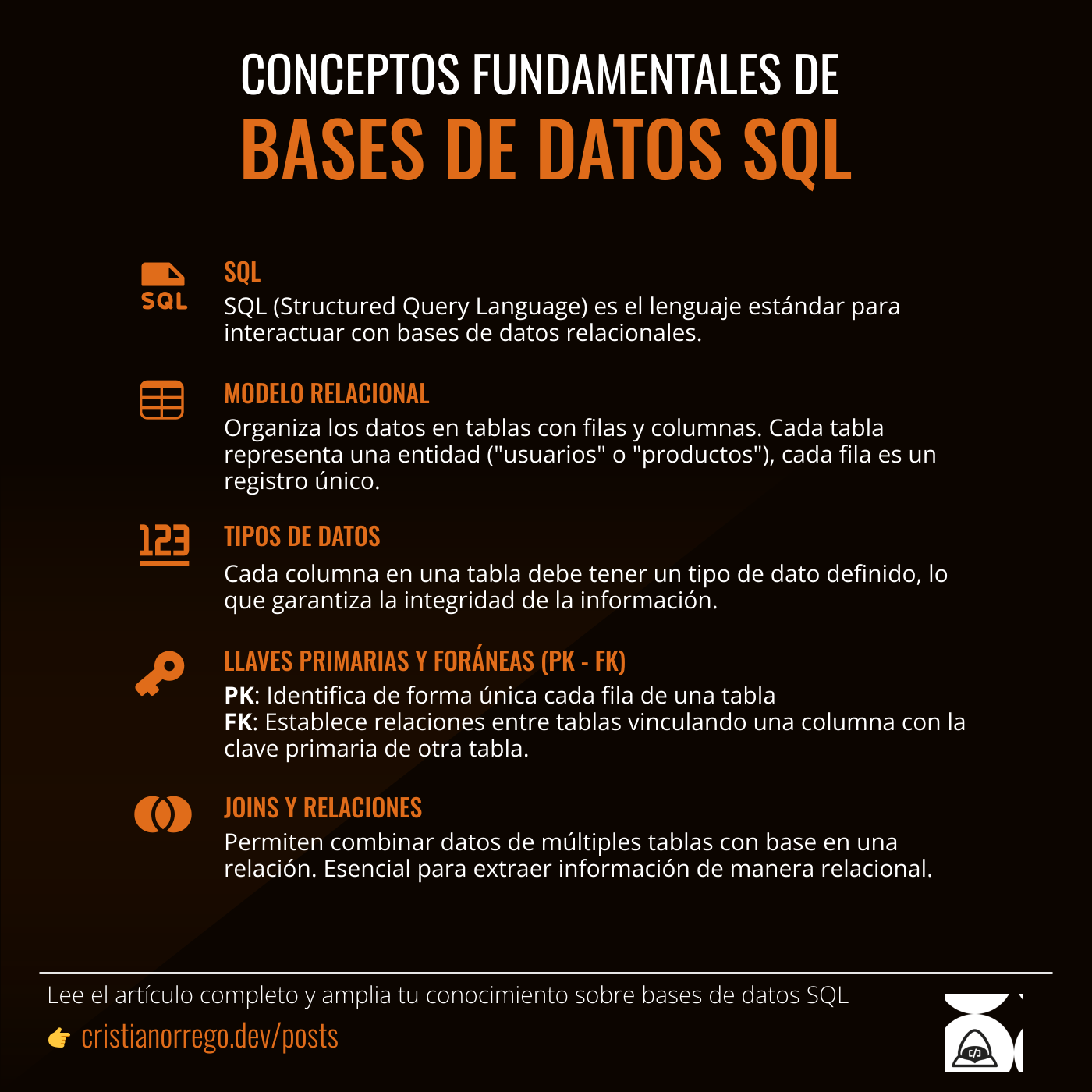
SQL (Structured Query Language) is the standard language for interacting with relational databases. It allows operations such as inserting, updating, deleting, and querying data through well-defined commands like SELECT, INSERT, UPDATE, and DELETE.
The basic query syntax is composed of the SELECT instruction to indicate the fields to retrieve and the FROM instruction to indicate the table where those fields are located.
Example:
-- SELECT campo1, campo2, campo3 FROM tabla1;
SELECT name, email, nickname FROM users;
SQL is universal and adapts to systems like PostgreSQL, MySQL, SQL Server, and others.
2. Relational model
SQL databases are based on the relational model, which means they organize data into tables with rows and columns. Each table represents an entity (such as "users" or "products"), and each row is a unique record. This structure enables relationships between different tables using primary and foreign keys, which facilitates modeling complex data.
CREATE TABLE users (
    id SERIAL PRIMARY KEY,
    name VARCHAR(100),
    email VARCHAR(100)
);

CREATE TABLE orders (
    id SERIAL PRIMARY KEY,
    user_id INT REFERENCES users(id),
    total DECIMAL(10, 2)
);
In the example above, the users table is created with the id field as the primary key (PK). In the second statement, a second table orders is created, also with the id field as primary. Additionally, the user_id field is created as a foreign key (FK) to create a relationship between users and orders.
3. Structure of an SQL query
SQL queries follow a clear and ordered structure. The most common components include SELECT, FROM, WHERE, GROUP BY, ORDER BY, and LIMIT. This structure makes it possible to build logical and efficient queries to retrieve the desired data.
Example:
SELECT name, email, nickname
FROM users
WHERE created_at > '2025-01-01'
ORDER BY name ASC
LIMIT 999;
In the example above, the query looks for users where (WHERE) the creation date created_at is after "2025-01-01", orders the results (ORDER BY) by name in ascending order (ASC), and limits the results (LIMIT) to 999 rows.
4. Data types
Each column in a table must have a defined data type, which guarantees information integrity.
Common types:
- INT: Integer numbers
- VARCHAR(n): Text strings
- BOOLEAN: True or false
- DATE: Dates
Example:
CREATE TABLE products (
    id INT,
    name VARCHAR(100),
    price DECIMAL(8, 2),
    available BOOLEAN
);
In the example, each defined field is assigned a specific data type, some of which receive parameters that indicate length or other criteria.
5. Primary key
A primary key uniquely identifies each row in a table. It is defined in one or more columns and cannot contain null values.
CREATE TABLE users (
    id SERIAL PRIMARY KEY,
    name VARCHAR(100)
);
This ensures that each record can be referenced without ambiguity.
6. Foreign key
A foreign key establishes relationships between tables by linking a column to the primary key of another table. It ensures consistency across related data.
CREATE TABLE orders (
    id SERIAL PRIMARY KEY,
    user_id INT REFERENCES users(id),
    total DECIMAL(10,2)
);
7. JOINS (INNER, LEFT, RIGHT, FULL)
JOINS allow data to be combined from multiple tables based on a relationship. They are essential for extracting information in a relational way.
SELECT users.name, orders.total
FROM users
JOIN orders ON users.id = orders.user_id;- INNER JOIN: Only matching data.
- LEFT JOIN: All data from the left table.
8. Aggregate functions and grouping (GROUP BY)
These allow calculations such as total, average, or count, grouping results by specific columns.
SELECT user_id, SUM(total) AS total_gastado
FROM orders
GROUP BY user_id;
Other common functions are:
- COUNT(): Counts records.
- AVG(): Calculates the average of numeric values.
- MAX(): Gets the maximum value from a set of numeric values.
- MIN(): Gets the minimum value from a set of numeric values.
- SUM(): Sums a set of numeric values.
9. Integrity constraints
Field conditions that control the validity of data inserted into tables. Some of the most common are:
- NOT NULL: Prevents null values in the field.
- UNIQUE: Ensures the column does not contain duplicate values.
- CHECK: Validates specific conditions, for example that a value is greater than 0.
CREATE TABLE employees (
    id SERIAL PRIMARY KEY,
    email VARCHAR(100) UNIQUE,
    salary INT CHECK (salary > 0)
);
10. Indexes
Indexes improve query performance on frequently searched columns. They are data structures that allow quick access to records without scanning the entire table.
CREATE INDEX idx_users_email ON users(email);Caution: indexes improve read operations but can slow down write operations.
Conclusions
Understanding the fundamental concepts of SQL not only makes it easier to design more robust and efficient databases, it also improves code quality and the ability to scale applications. From understanding the SQL language and the relational model, to the correct use of keys, joins, and transactions, mastering these elements is key for any developer working with data. SQL is much more than a language: it is a powerful tool that, when used well, completely transforms how information is handled.
Infographic